代码上传到阿里云codeup上 Published on May 28, 2024 in 随笔 with 0 comment 1.需要先注册阿里云的codeup 2.创建仓库 3.设置https密码 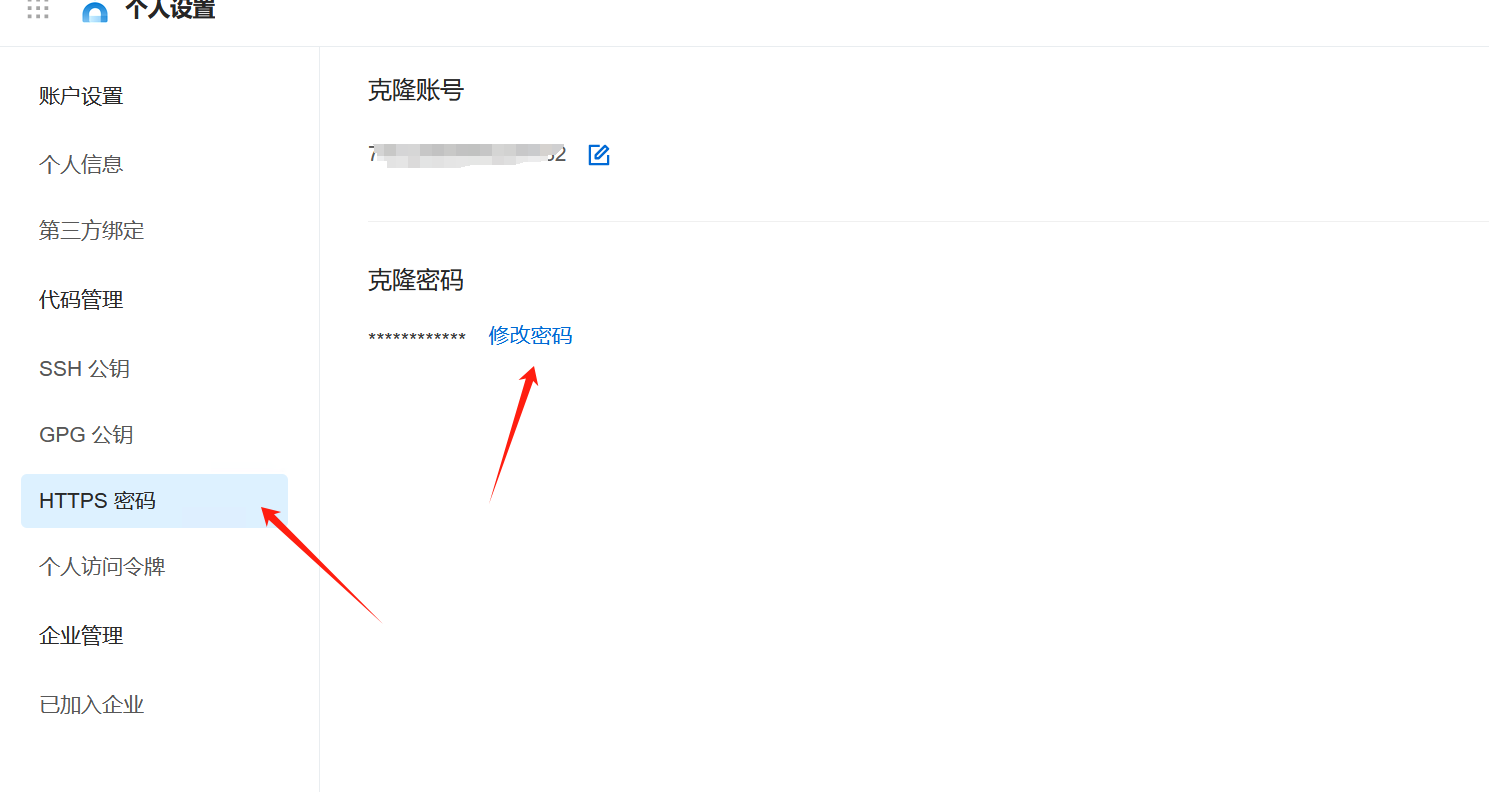 4.推送代码 为了标识身份,建议先完成 Git 全局设置 ``` git config --global user.name "xxx" git config --global user.email "xxxx@qq.com" ``` ``` cd existing_folder # 在本地的代码库下,新建Git的管理目录 git init # 添加Git连接的网址 git remote add origin https://codeup.aliyun.com/662exx07/xx.git #提交改动代码 git add . # 提交代码带暂存区 git commit -m 'xxxx' #拉取远程数据 git pull origin master # 推送到远程仓库 git push -u origin master # 使 Git 在检出文件时将 LF 转换为 CRLF,并在提交时将 CRLF 转换回 LF git config --global core.autocrlf true ``` Git在push推送时,报错提示信息如下: hint: Updates were rejected because the tip of your current branch is behind hint: its remote counterpart. Integrate the remote changes (e.g. hint: 'git pull ...') before pushing again. 原因分析: 是由于本地和远程仓库两者代码文件不同步,因此需要先pull,进行合并然后再进行push 解决方法: 1、先使用pull命令: git pull --rebase origin master 2、再使用push命令: git push -u origin master 本文由 admin 创作,采用 知识共享署名4.0 国际许可协议进行许可。本站文章除注明转载/出处外,均为本站原创或翻译,转载前请务必署名。
